

Metered Power Strips: What the Display Should Show
A metered power strip is a power strip or PDU with a built-in display that shows the load running through it. Before buying one, check what the screen actually shows. Most built-in meters show only one or two numbers, or make you press a button to step through readings one at a time.
What a Metered Power Strip Is
A metered power strip combines multi-outlet power distribution with a built-in panel meter wired to read the strip's load. It sits apart from three common alternatives:
- Ordinary power strips: Have no meter. The usual advice is to add up nameplate ratings by hand and stay under 80% of the strip's rating.
- Plug-in watt meters: Measure one outlet at a time and cycle one reading per button press. They cost less if you only check one device once in a while.
- Smart plugs and smart strips: Log energy and sometimes meter each outlet separately, but the numbers live in a phone app and need Wi-Fi and an account.
A metered strip or metered PDU puts live load figures directly on the hardware with no app or network.
Who Uses a Metered Power Strip and Why
People use built-in meters whenever several machines or electronics share one wall outlet.
- Home labs and server racks: Check total watts for UPS sizing, idle draw, kWh for power cost, and headroom on a 15 A circuit. A common home-lab complaint: rack meters show only amps, so you convert to watts by hand.
- 3D printers and workshops: Watch combined load when several machines share one circuit so you see remaining headroom before powering another tool.
- Home studios and AV racks: Watch line voltage for low or unstable power and check total rack current.
- Home offices and desks: Read a live total instead of doing the math across multiple power bricks.
- Energy cost and standby checks: Measure kWh over a period and multiply by your rate.
What Each Reading Means
Two numbers handle different jobs: amps is the safety number for circuit limits, while watts is the planning number for UPS sizing and electric bills.
Watts (W)
Watts measure active power, and answer the most practical question: how many watts is my power strip using? On AC power, watts equal volts times amps times power factor. Use watts to size a UPS, check idle draw, and estimate cost.
Volts (V)
Volts show outlet voltage. US outlets are nominally 120 V, and ANSI C84.1 treats 114 V to 126 V as normal. A brief small dip at startup is normal, but if voltage sits below 114 V most of the time or dips deeply whenever a heavy load like a compressor or table saw starts, call a licensed electrician.
Amps (A)
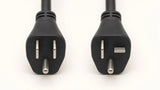
Amps measure current. A standard 15 A strip is rated 15 A (1875 W at 125 V) total, while a 20 A strip is rated 20 A (2500 W) and requires a 20 A NEMA 5-20R outlet with a T-shaped slot on a 20 A circuit because its plug does not fit a 15 A outlet (see How to Spot a Fake 20-Amp Power Strip). The National Electrical Code treats loads running 3 hours or more as continuous; plan on 80% of the rating, or about 12 A (1440 W) on a 15 A circuit and 16 A (1920 W) on a 20 A circuit at 120 V.
Power Factor (PF)
Power factor runs from 0 to 1.00. Incandescent bulbs and simple heating elements read near 1.00; motors, fans, and some power supplies read lower. Low PF pulls more amps for the same watts, so always compare amps, not watts, against the strip's rating.
Energy (kWh)
One kWh equals 1000 W running for one hour, the billing unit on your electric bill. Multiply kWh by your rate to find operating cost.
Running Time (h)
Running time counts active hours. Dividing kWh by hours gives average power over a session.
What Most Built-In Meters Actually Show
Most built-in displays show one or two numbers, not a full readout:
- Amps only: Metered rack PDUs usually show current in amps on a small LED readout, sometimes only two digits.
- Volts, or volts and amps: AV power conditioners usually show voltage only, or put voltage and amps on two separate meters or behind a switch or knob.
- Button-stepped screens: Units that show watts, kWh, and running time mostly display one reading at a time and require a button press to step to the next.
Missing numbers force you to do math. An amps-only display gives circuit load, not watts for a UPS or kWh for billing. Watts behind a button still means stepping through screens to see the whole picture. And many displays leave you unsure whether a reading covers one outlet or the whole strip.
All at Once: Reading the CRST Pro Series Screen
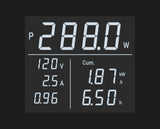
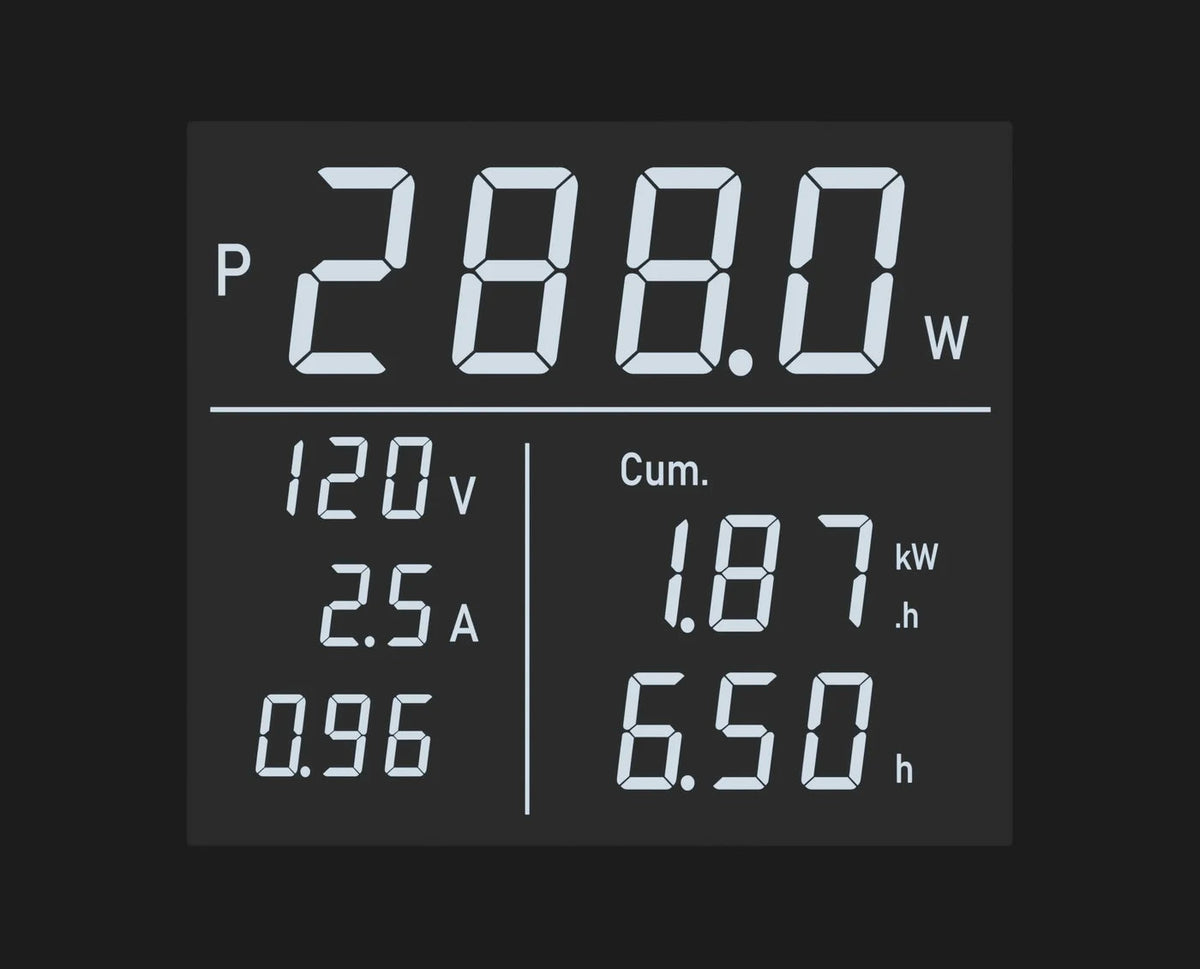
Five of the six metal strips and rack PDUs in the CRST Pro Series include this front-panel meter (the sixth uses a line filter instead). One screen shows six readings together: watts as the large main number, volts, amps, power factor, kWh, and running time in hours. There are no buttons, menus, apps, Wi-Fi, or setup.
The power factor readout indicates an inductive load (L, typical of motors and transformers) or a capacitive load (typical of electronic power supplies). Running time starts once the load exceeds 5 W, and the kWh and hours readouts switch automatically between the current session and the all-time total. Both count up to 19,999.
Consider a real reading on the screen: 288.0 W, 120 V, 2.5 A, PF 0.96, 1.87 kWh, 6.50 h. One glance tells you five things:
- 288.0 W: The load right now (120 V x 2.5 A x 0.96 = 288 W). This is the number you need to size a UPS.
- 120 V: Normal voltage inside the 114 V to 126 V range.
- 2.5 A: Against the 12 A continuous (80%) line on a 15 A circuit, 2.5 A leaves about 9.5 A of headroom.
- 1.87 kWh and 6.50 h: Dividing 1.87 by 6.50 yields about 288 W average, showing a steady load.
- Cost: At an example rate of $0.15 per kWh, the session cost about $0.28.
An amps-only meter would show just 2.5.
How Four Metering Options Compare
Some smart strips and network PDUs meter each outlet and keep logs, alerts, and remote access in an app or on a network. The CRST meter reads the whole-strip total on the front panel with no logging, alerts, or network link. A plug-in watt meter costs less for occasional single-device checks.
| Feature | Built-In Full Meter | Built-In Amps-Only Meter | Plug-In Watt Meter | Smart Plug or Strip |
|---|---|---|---|---|
| What it measures | Whole strip total | Whole strip total | One outlet at a time | One outlet or per outlet |
| Readings shown | Watts, volts, amps, PF, kWh, hours | Amps only | Several, one at a time | Energy (kWh), power (varies) |
| Always visible | Yes, on one screen | Yes, one number | No, cycles by button | In phone app |
| Needs app or Wi-Fi | No | No | No | Yes |
| Per-outlet data | No | No | Single outlet only | Yes, on some models |
| History and alerts | No | No | No | Yes |
What a Strip Meter Does Not Tell You
- It reads the strip, not the circuit: Other outlets on the same breaker add load the meter cannot see. A strip at 9 A plus a 6 A load on another outlet on that breaker puts a 15 A circuit at its limit.
- It shows the strip total, not each outlet: To check one device, plug in only that device or unplug it and watch the total drop.
- It is not a circuit breaker: A meter displays the load; it does not save energy or prevent overloads, breaker trips, or fires. The strip's resettable circuit breaker is what cuts power. A meter never makes it safe to plug a space heater or other high-heat appliance into a power strip.
- Daisy chaining remains unsafe: Plugging one strip into another is unsafe and against code, meter or not. See Is Daisy Chaining Power Strips Illegal? OSHA & NEC Rules.
Frequently Asked Questions
Does a metered power strip measure each outlet?
Most built-in strip meters and metered PDUs read the whole strip combined, not individual outlets. Some smart strips and network PDUs meter each outlet in an app or over a network.
Does it need Wi-Fi or an app?
No. A built-in panel meter shows readings on the strip without Wi-Fi, an account, or an app. Smart plugs and smart strips are the ones that need Wi-Fi and an app.
Will the meter stop my breaker from tripping?
No. The meter only shows the load so you can track headroom. The strip's resettable circuit breaker and your panel breaker are what cut power.
How do I find out what one device uses?
Plug in only that device and read the screen, or unplug it and watch how much the total drops. A plug-in watt meter also works for occasional checks.
The CRST Pro Series Meter
Five of the six metal power strips and rack PDUs in the CRST Pro Series include this front-panel meter, while the sixth uses a line filter instead. All six Pro Series models are ETL Listed to UL 1363 and UL 1449.
If you want watts, volts, amps, power factor, kWh, and running time on one screen without buttons or apps, view the CRST Pro Series.
Power gear that matches the advice.
Certified by an OSHA-recognized NRTL — ETL/SGS · UL1363 & UL1449. Full-gauge copper — 14AWG on 15A models, 12AWG on 20A. 18-month warranty, free extension to 36 months on registration.
0 Comments